
Thursday, February 4, 2010


Wednesday, February 3, 2010
The Ole Church in Winter

Tuesday, October 13, 2009
Autumn Colors
This is the time of year in New England, when all the trees start adjusting to the upcoming winter by turning all their leaves to beautiful colors. It's an amazing site. I truly miss the New England Fall down here in Florida, but the colors can still be found.
One January while photographing the skyline of Miami, I noticed that many of the Sea Grape leaves along the coast were changing color.

At first I only saw dying green leaves turning orange and brown, but it wasn't long before the beauty of these great leaves became apparent. The post following is a short video of some of the brightest leaves that caught my attention. The first and last slides are not really sea grapes, but they were taken around the same time of the year, and I thought they fit in.
Friday, October 2, 2009
Lakes Park, Fort Myers, FL
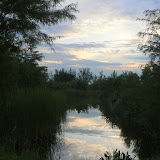
There is a beautiful park in the middle of the city of Fort Myers, FL. These photos were taken at sunrise, between 7:00 and 8:00 AM. Clicking on the image links you to a collection of photos on Picasa Web Albums, named Lakes Park.
 |
| Lakes Park |
Monday, September 21, 2009
Digital B&W Negatives Become a Video ...
Digital B&W Negatives Become a Video Slideshow
After finishing all the photographing of my old 35mm negatives, I have begun cleaning them up (removing dust spots, scratches, etc.) to use them in new fun and creative ways. The plan was to make a a slide show or video, using Picasa.
I started by picking about 120 photos taken during the 1980s of doorways around Portland Maine. I was looking for contrasts, textures, and even occasional humor in the images. Picasa has a feature called, "Retouch" found in the Basic Fixes tab that is fairly useful once you get the hang of it, for removing the occasional dust spot. I tried to use it exclusively, but found myself resorting to Photoshop Elements every now and then (and don't forget our old favorite, GIMP). I think if I become a little more familiar with Picasa's Retouch, I will probably use it more often.

Making a slide-show is really making a movie, or making a video. Once I had settled on about 50 useful images I selected them in Picasa and chose the Make a Movie icon at the bottom of the screen. A window of tabs, similar to the edit tabs opens at the left of the screen, allowing you to add a sound track, change resolution, create transitions, and add text slides. All in all, not that bad. However the sound track never sounded right to me, so I finally left Picasa's Movie maker in the dust.
There seem to be quite a few choices in free movie movie making programs. Windows Movie Maker comes free with Vista and XP, and there is a new version that is part of the recent "Windows Live" effort from Microsoft. Then there is Pinnacle's VideoSpin, also free with a bit more features than Movie Maker. And don't forget Cinelerra, Open Movie Editor, and Kdenlive 0.7 for Linux. Well, I didn't choose any of these. Instead I used Photo Story 3 for Windows. It too is free, but you have to download it from Microsoft. The URL is so long, just do a Google search.
I have used Photo Story 3 for Windows in many of my slide-show classes. The thing I like best is the ability to customize the start-stop locations of the "Pan and Zoom" motion feature within a single slide. The rest of the program is pretty straight forward with the final product being a wmv file along with a project file (.wp3), allowing you to go back and edit the movie without starting over. If you want more help with Photo Story 3 for Windows, check out http://www.papajohn.org/. I will probably, as time allows, try some of those other movie makers with latter projects. I 'll keep you posted.
The final slide-show/video Doors 09, is about 4 minutes long and can be seen over at You Tube.
http://www.youtube.com/watch?v=D3-jszGlXcI
After finishing all the photographing of my old 35mm negatives, I have begun cleaning them up (removing dust spots, scratches, etc.) to use them in new fun and creative ways. The plan was to make a a slide show or video, using Picasa.
I started by picking about 120 photos taken during the 1980s of doorways around Portland Maine. I was looking for contrasts, textures, and even occasional humor in the images. Picasa has a feature called, "Retouch" found in the Basic Fixes tab that is fairly useful once you get the hang of it, for removing the occasional dust spot. I tried to use it exclusively, but found myself resorting to Photoshop Elements every now and then (and don't forget our old favorite, GIMP). I think if I become a little more familiar with Picasa's Retouch, I will probably use it more often.
Making a slide-show is really making a movie, or making a video. Once I had settled on about 50 useful images I selected them in Picasa and chose the Make a Movie icon at the bottom of the screen. A window of tabs, similar to the edit tabs opens at the left of the screen, allowing you to add a sound track, change resolution, create transitions, and add text slides. All in all, not that bad. However the sound track never sounded right to me, so I finally left Picasa's Movie maker in the dust.
There seem to be quite a few choices in free movie movie making programs. Windows Movie Maker comes free with Vista and XP, and there is a new version that is part of the recent "Windows Live" effort from Microsoft. Then there is Pinnacle's VideoSpin, also free with a bit more features than Movie Maker. And don't forget Cinelerra, Open Movie Editor, and Kdenlive 0.7 for Linux. Well, I didn't choose any of these. Instead I used Photo Story 3 for Windows. It too is free, but you have to download it from Microsoft. The URL is so long, just do a Google search.
I have used Photo Story 3 for Windows in many of my slide-show classes. The thing I like best is the ability to customize the start-stop locations of the "Pan and Zoom" motion feature within a single slide. The rest of the program is pretty straight forward with the final product being a wmv file along with a project file (.wp3), allowing you to go back and edit the movie without starting over. If you want more help with Photo Story 3 for Windows, check out http://www.papajohn.org/. I will probably, as time allows, try some of those other movie makers with latter projects. I 'll keep you posted.
The final slide-show/video Doors 09, is about 4 minutes long and can be seen over at You Tube.
http://www.youtube.com/watch?v=D3-jszGlXcI
Friday, September 18, 2009
Digitizing Black & White Negatives
During the 1970s and 80s, I spent a great deal of time working with black and white photography. Like so many others, I truly enjoy the beauty of a nice “gray scale” image. Using my 35 mm cameras and trusty old Tri-X, I created over 3000 images.


I was teaching photography to high school students in Kennebunk, Maine during those days, so I had plenty of darkroom time. In addition, I built a few photo labs of my own at the various places I lived. I remember telling the photography students there would come a time when we used some form of electronic image capture in place of film. Some thought that sounded cool, others laughed.

Most of my best black and white work made it into print form; 5x7, 8x10, 11x14, some matted, most just stored in boxes. I threw out many photographs, but I still have some of those original prints. (I even coated various materials, glass, leather, stone, with emulsion and made prints on those surfaces.)
Well I ended up with this binder of about 2800 35 mm black and white negatives, some were made into prints and have since been scanned, and others are still only negatives. (I also have a collection of slides, color negatives, and large format negatives, but that’s a story for another time.)

So about ten years ago, I decided that I would find a way to digitize these negatives. And now, the job is finally done. I used a slide copying adapter (Nikon ES-E28) that screwed on to the lens of my Nikon Cool Pix 4500. The 4500 was one of the best cameras in its day (and still has many design features superior to today’s digital cameras), but mostly I bought it because of the adapter. It not only has the ability to crop and zoom and thus copy 35mm slides, but it also includes a negative holder, that allows you to re-photograph 35mm film. I have never seen anything as versatile or convenient as this device, since. If anyone has any suggestions for similar equipment, please share this with us all.

Photographing 35 mm negatives has its problems – DUST. You will either spend hours cleaning your negatives or hours using computer software to remove the specs, but we had those problems when we printed onto paper from negatives. Then there is getting the light right. The adapter is illuminated by whatever light source you point it at. Over the years I got lazy sometimes and simply pointed the thing out the window, and cranked one negative through after another. This sloppy, uneven illumination shows in some of the negatives. And finally, this process takes forever (or ten years in my case). It becomes a bit tedious, and after a few hundred shots, one tends to put the project aside for a few months.
Well anyway, the photographing part is done (I still have the slides, color film and larger format negatives, but…). At this point I used a great program called Irfanview, http://www.irfanview.com/, to convert the negatives to positives and reduce the color level to grayscale. This can all be done in one batch process, using Irfanview.

There is something to be said for working with the positive (reversed negative) images while in color, e.g. not converting them immediately to grayscale. You can work with the different colors as layers to achieve effects similar too using filters. But I am happy just getting all those negatives into a massive collection of B&W images. Besides, the negatives were captured in color and are all stored as jpgs in color.

Now, what do I do with all 2000 images? I think I’ll make a movie with a few of them, limiting myself only to the tools found in Picasa, but that’s for a later post.
Tuesday, August 25, 2009
Trip Summer 09
Sorry, I did not get a chance to do a day-by-day posting of the trip's photos. The iPhone software for doing this has improved significantly - maybe next time. However, here are some highlights:
For a larger collection of images, click here to go to the Trip Summer 09 album at my Picasa Web Albums, or click the same link under palzot Albums on the sidebar.


For a larger collection of images, click here to go to the Trip Summer 09 album at my Picasa Web Albums, or click the same link under palzot Albums on the sidebar.

Monday, July 13, 2009
iPhone Photo
By clicking on this photo, you should access the "iPhone Album" at pashley's Picasa photos.

-- Post From pashley's iPhone

-- Post From pashley's iPhone

New iPhone Panorama
Three shots stitched with Pano, sharpened in camera/phone, and posted.

-- Post From My iPhone
-- Post From My iPhone
Sunday, July 12, 2009

Saturday, July 11, 2009

%20no-repeat%20left%22%3E%3Ca%20href=%22http://picasaweb.google.com/pashleyG/LakesPark?feat=embedwebsite%22%3E%3Cimg+src%3D%22http://lh5.ggpht.com/_lXRmY4SwyuE/SsXrDudSytE/AAAAAAAAGZ4/90dmt5S4eGE/s160-c/LakesPark.jpg%22+width%3D%22160%22+height%3D%22160%22+style%3D%22margin:1px+0+0+4px;%22%3E%3C/a%3E%3C/td%3E%3C/tr%3E%3Ctr%3E%3Ctd+style%3D%22text-align:center;font-family:arial,sans-serif;font-size:11px%22%3E%3Ca+href%3D%22http://picasaweb.google.com/pashleyG/LakesPark?feat%3Dembedwebsite%22+style%3D%22color:#4D4D4D;font-weight:bold;text-decoration:none;">Lakes Park</a></td></tr></table>)
Thursday, July 9, 2009
iPhone Panorama
 Just outside the Naples Community Hospital is a beautiful park. It’s called the Garden of Hope and Courage.
Subscribe to:
Posts (Atom)